# Farms Guide
Before you begin the Farms Guide, ensure you have gone through the [Wallet Connection](https://halo-lending.gitbook.io/onyx-dao/getting-started/quickstart-guides/connect-wallet-guide) & [Create LP](https://halo-lending.gitbook.io/onyx-dao/getting-started/quickstart-guides/create-lps-guide) processes.
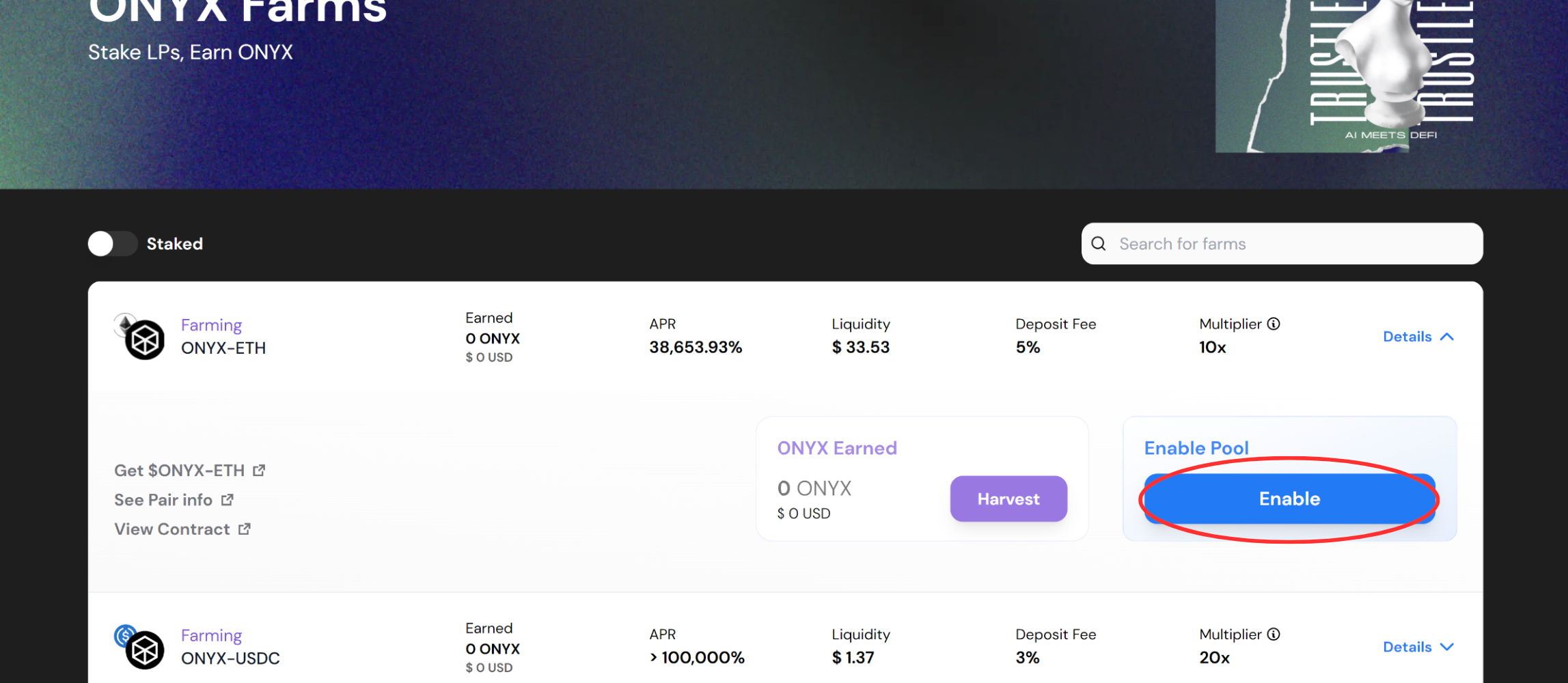
1. Once your wallet is connected and you have LP tokens in your wallet, click the "Enable" button on your desired Farm. Then you will need to confirm the transaction in your wallet pop-up browser.
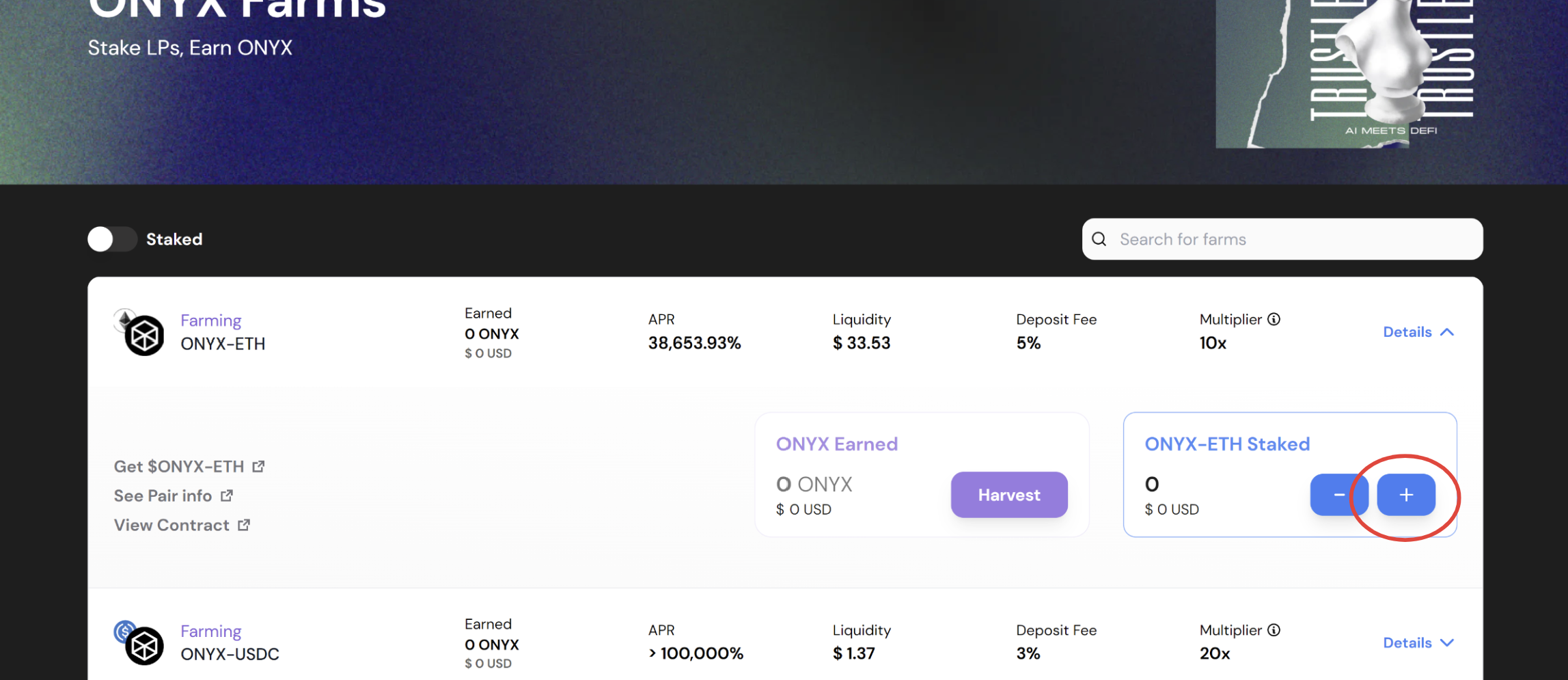
2. Next, you will need to click the "+" button to bring up the stake pop-up module.
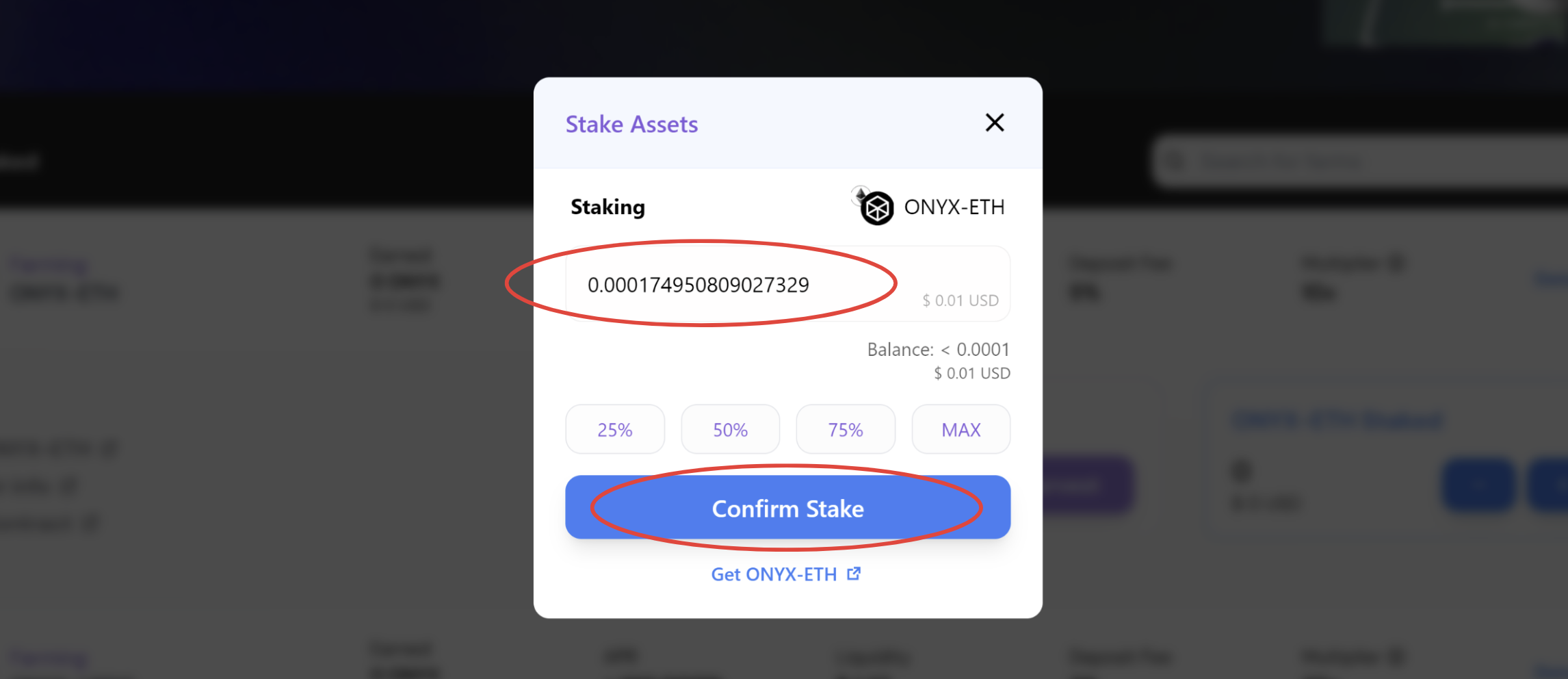
3. Once in the stake pop-up module, enter the amount of LP tokens you would like to stake either by entering it manually or by clicking one of the percentage buttons. Then click the "Confirm Stake" button. This will bring up your wallet pop-up menu and you will need to confirm your transaction in your wallet.
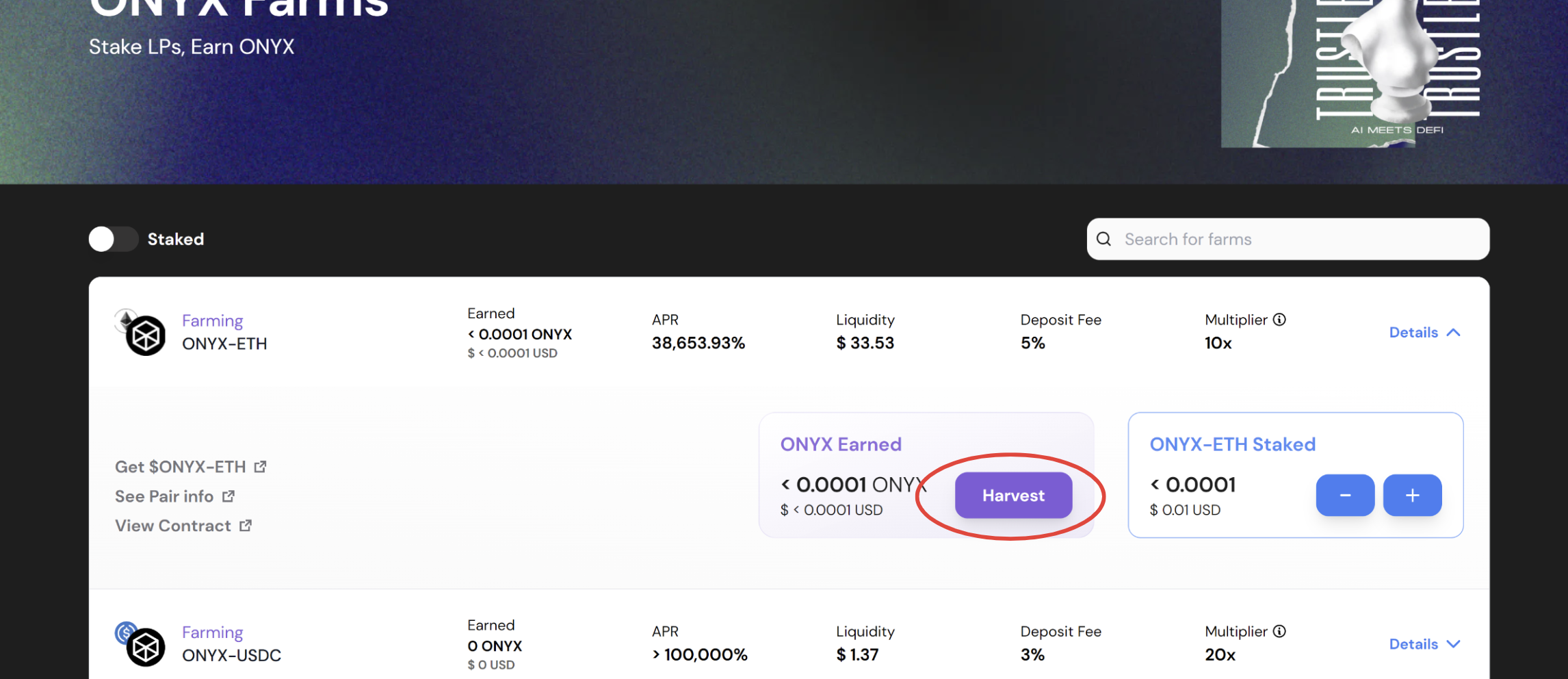
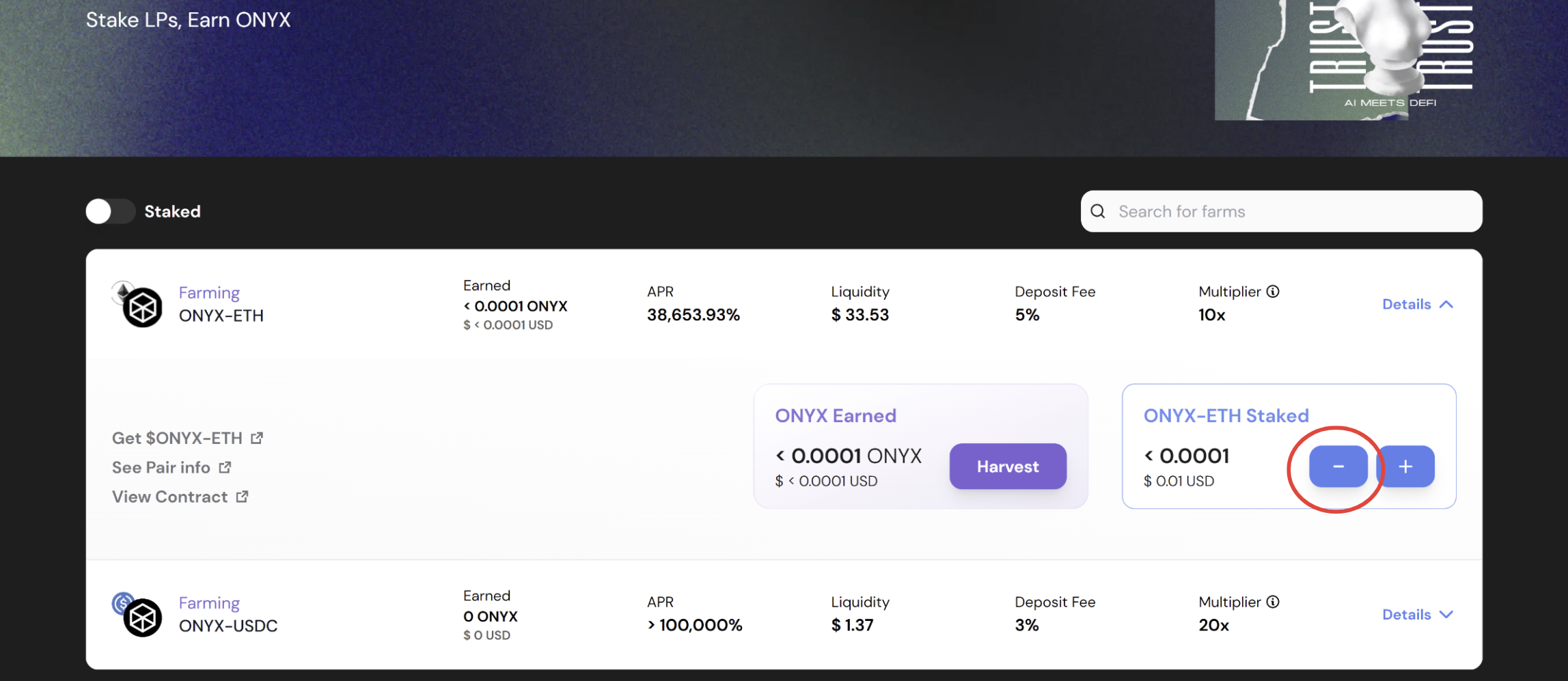
4. You will now be staked in the Onyx Farms and will be accumulating $ONYX tokens! You can now click "Harvest" to claim your pending rewards. You will need to confirm the transaction in your wallet, and once successful, the tokens will be sent to your wallet.
5. To unstake your LP tokens, click the "-" button to bring up the unstake pop-up module.
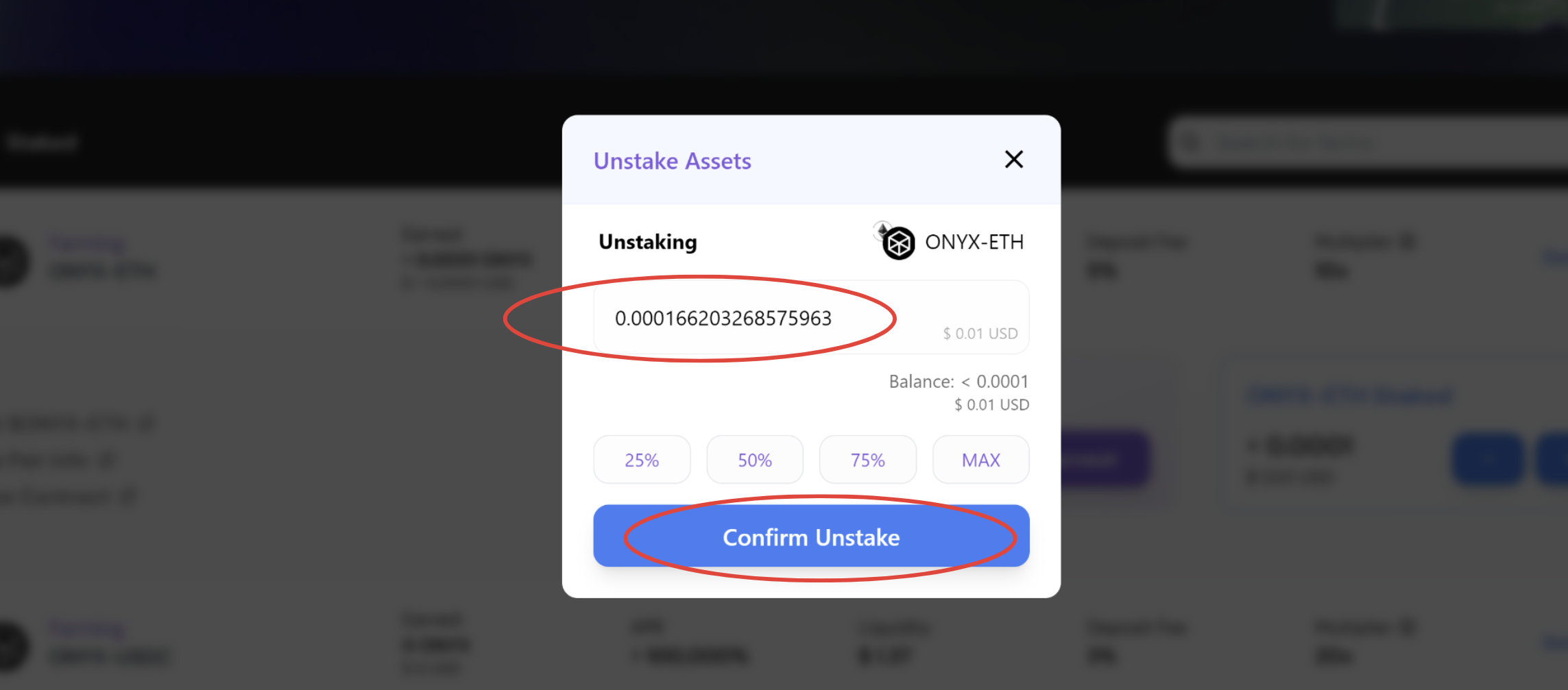
6. You will now need to enter the amount of LP tokens you would like to unstake. This can be done either manually or by clicking one of the percentage buttons. Once your desired amount has been entered, click the "Confirm Unstake" button. You will then need to confirm the transaction in your wallet.
7. Once confirmed, your LP tokens will be sent to your wallet along with any pending rewards for that Farm.